FloorCheck
Quality checks for any production line, on the phones and tablets you already own. Machining, molding, electronics, chemicals, food and packaged goods. Build the checks your process needs and set up in an afternoon, with unlimited operators on every shared device.
- No paper checksheetsEvery check is recorded on the device, on the line.
- Your checks, your wayBuild checks for any process: numbers with limits, pass, marginal or fail ratings, yes or no, photos.
- Labels verifiedThe phone reads a case label and checks it against the approved one, date codes included.
- Problems caught earlyA dimension creeping toward its limit shows up on the spot, and a failed critical check puts product on hold.
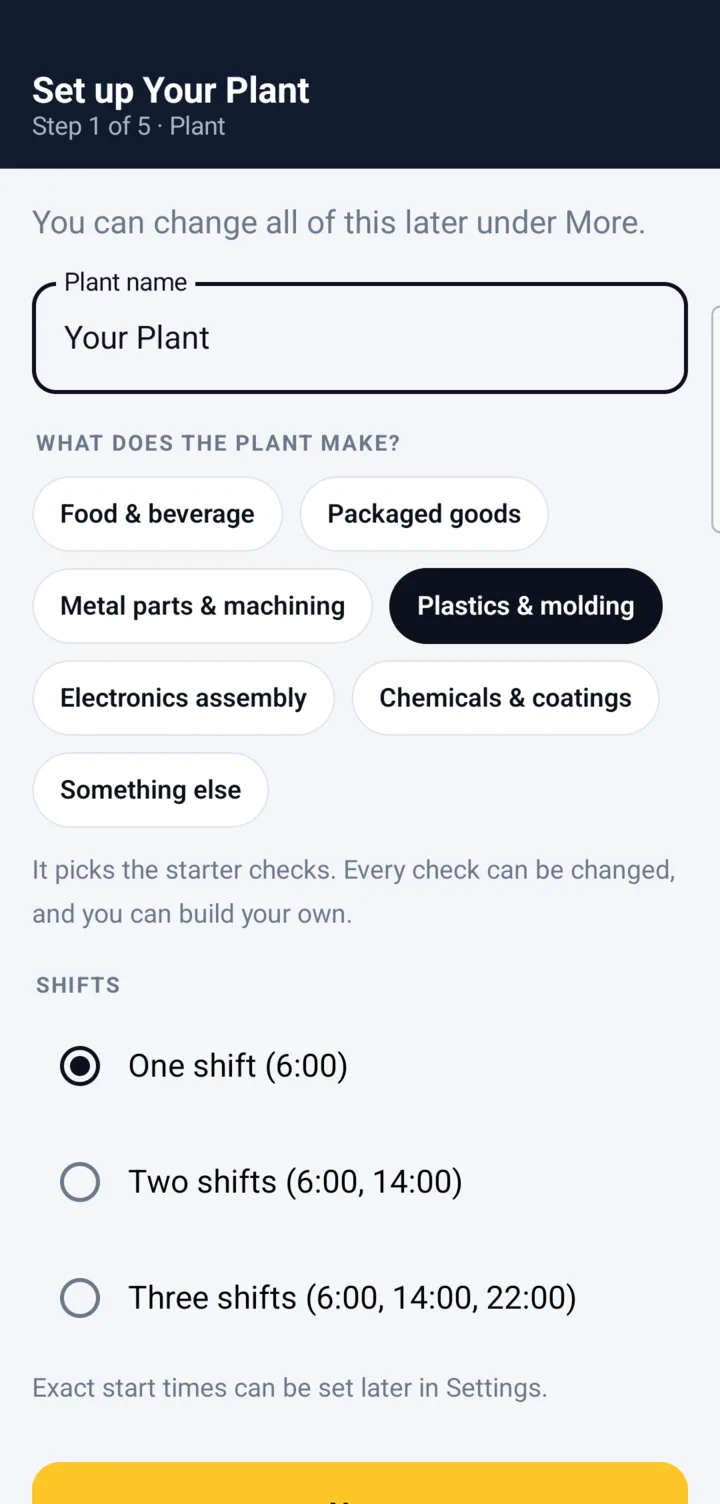
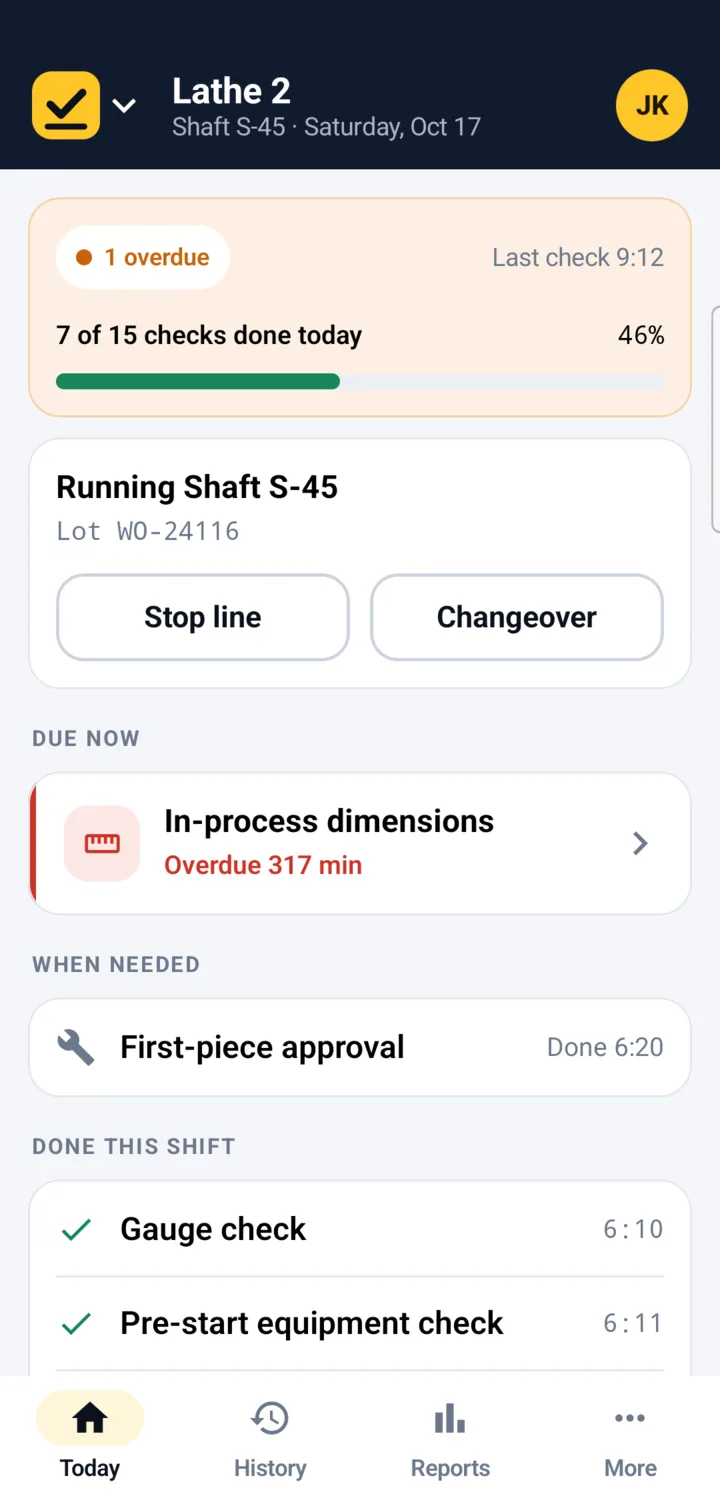
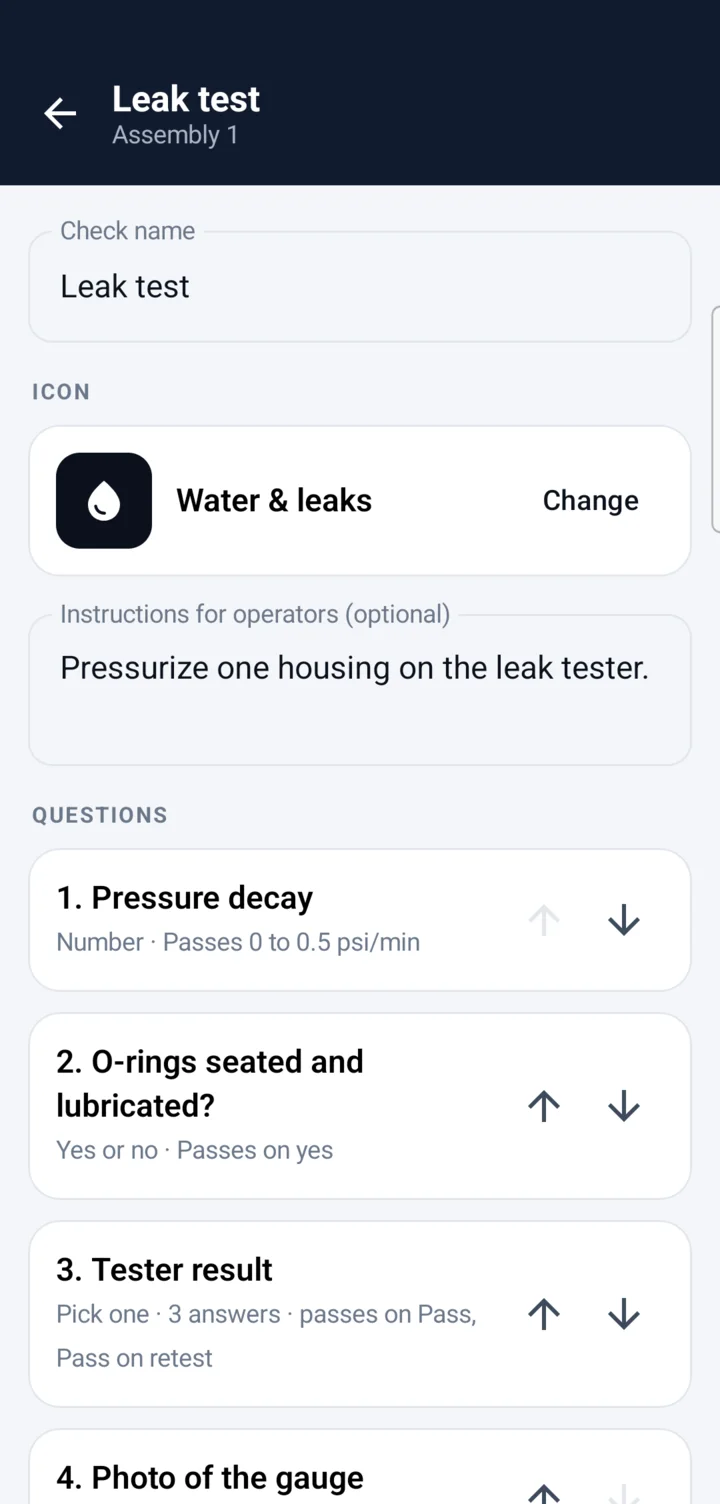
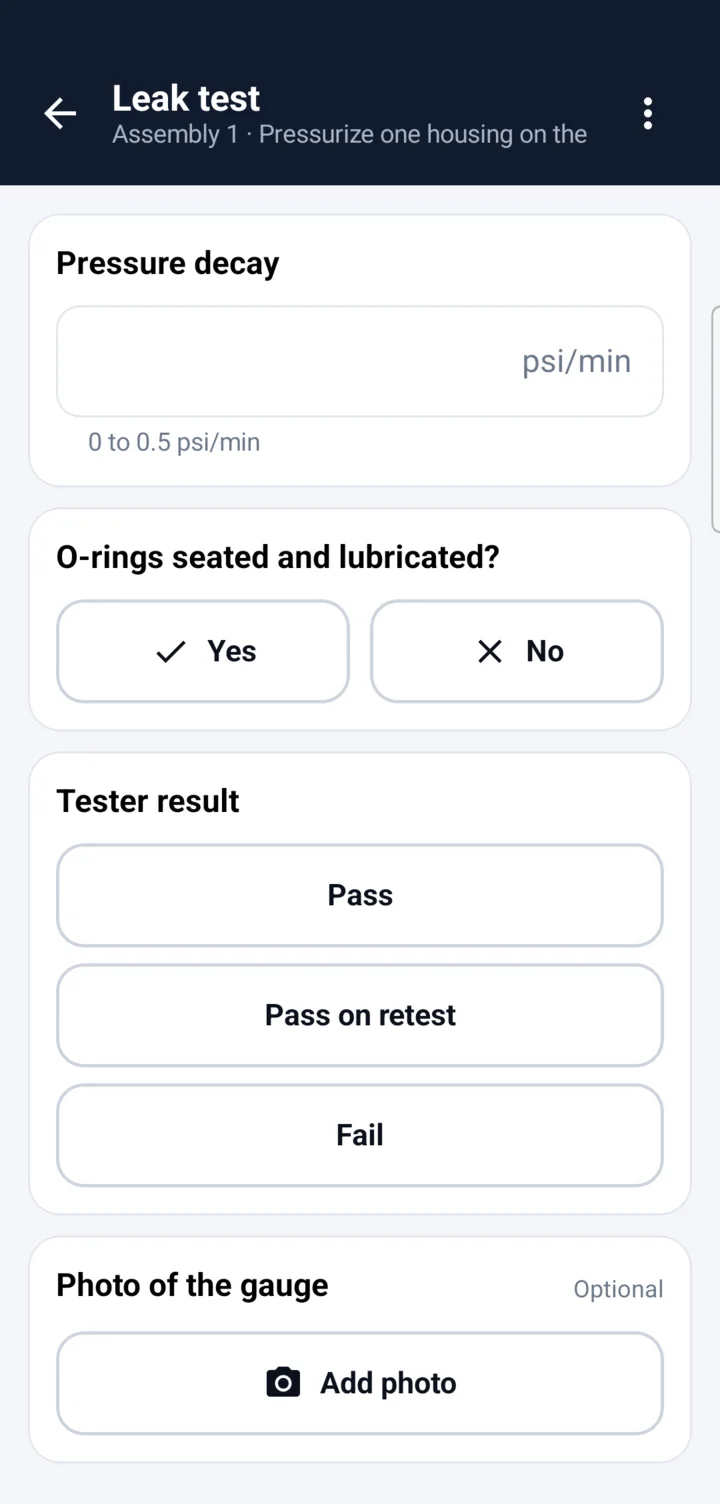
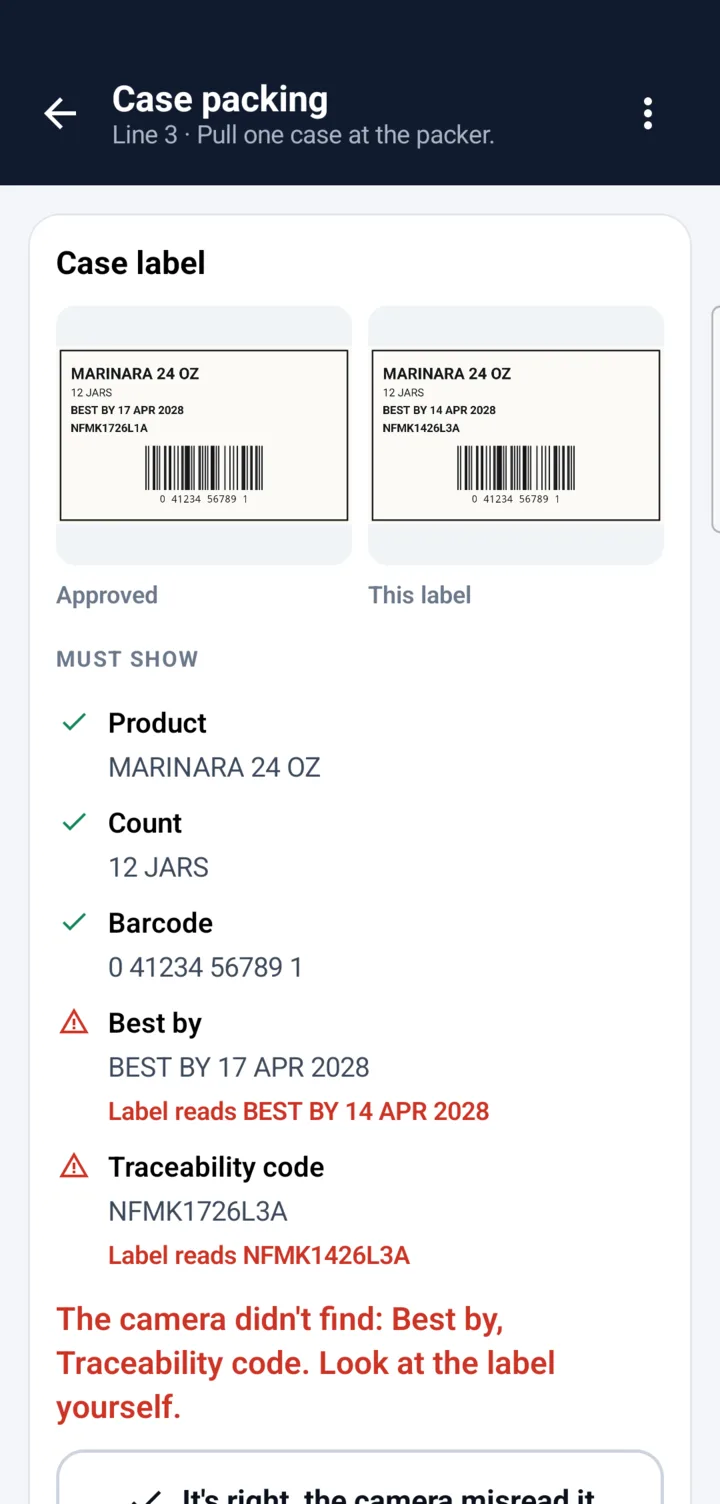
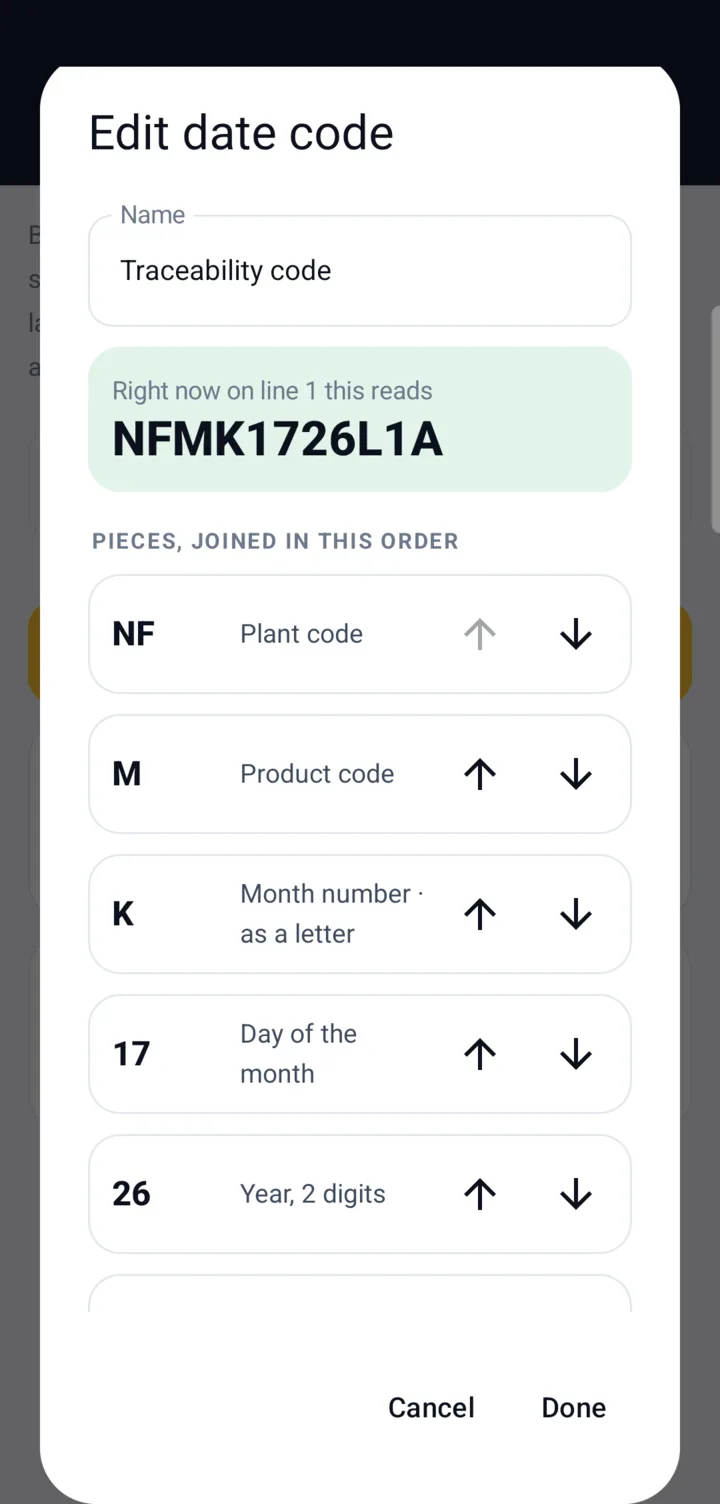
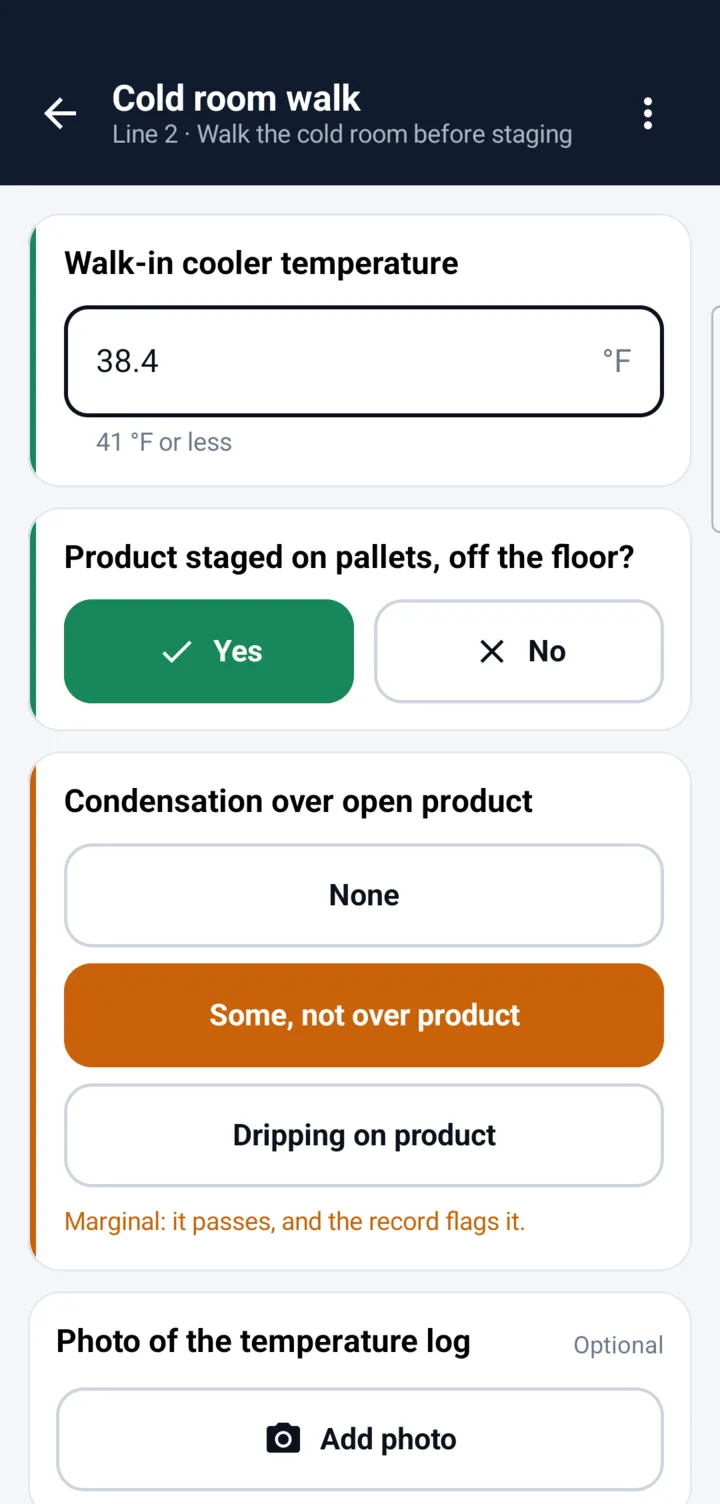
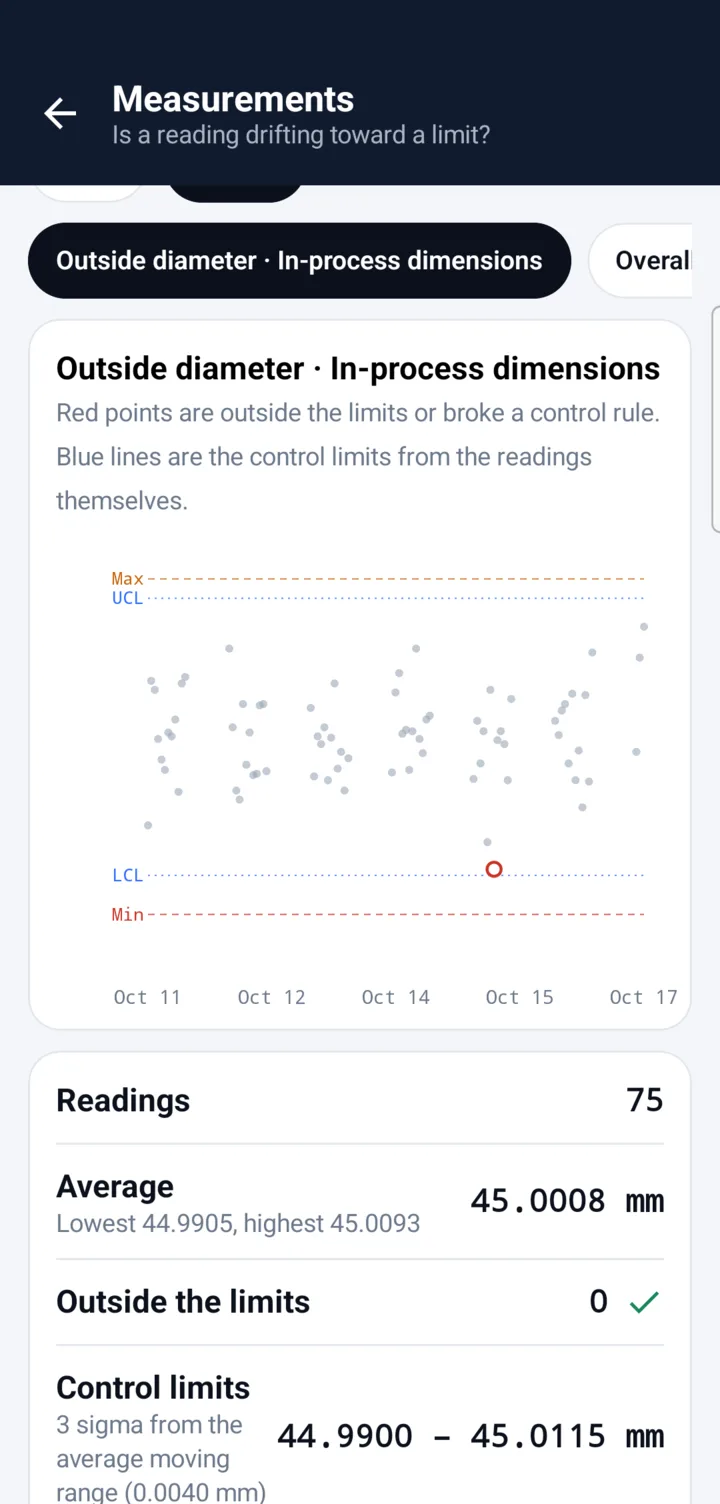
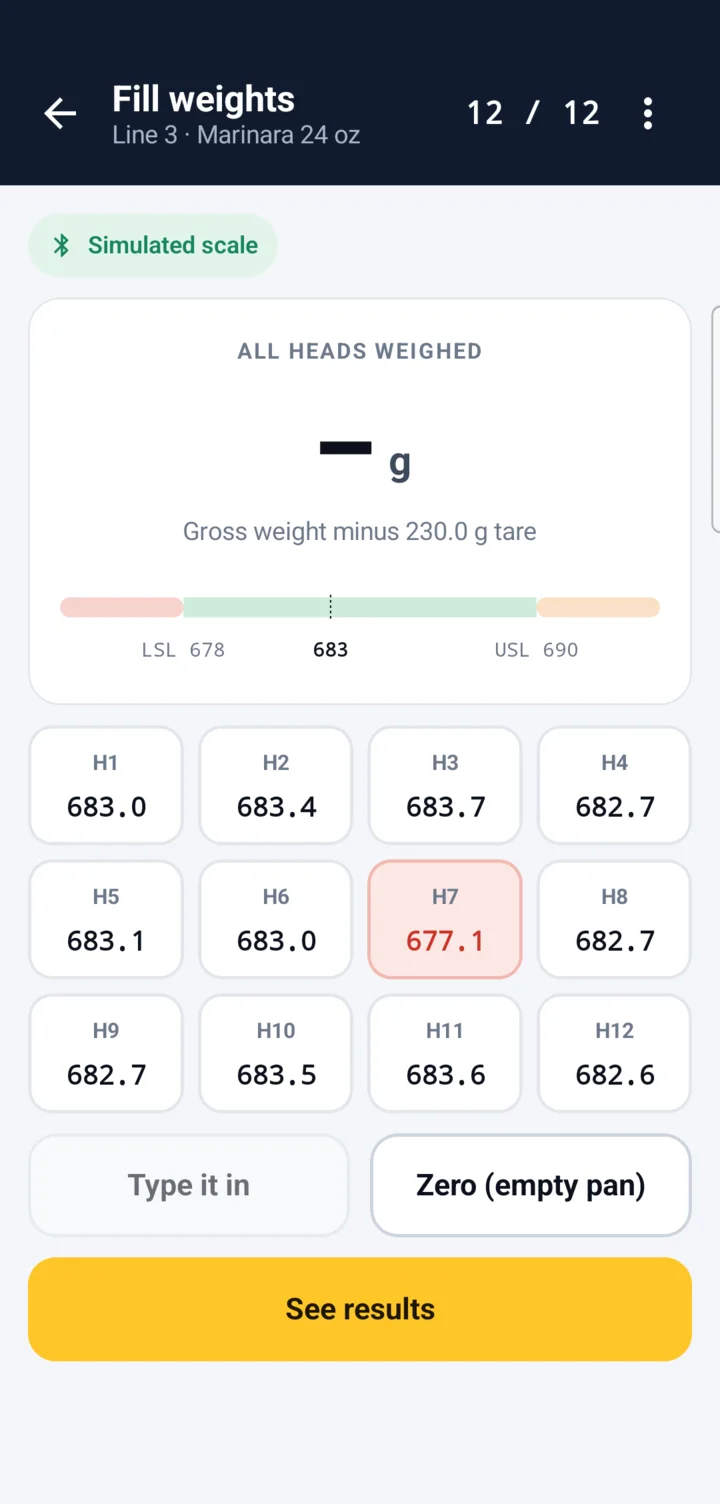
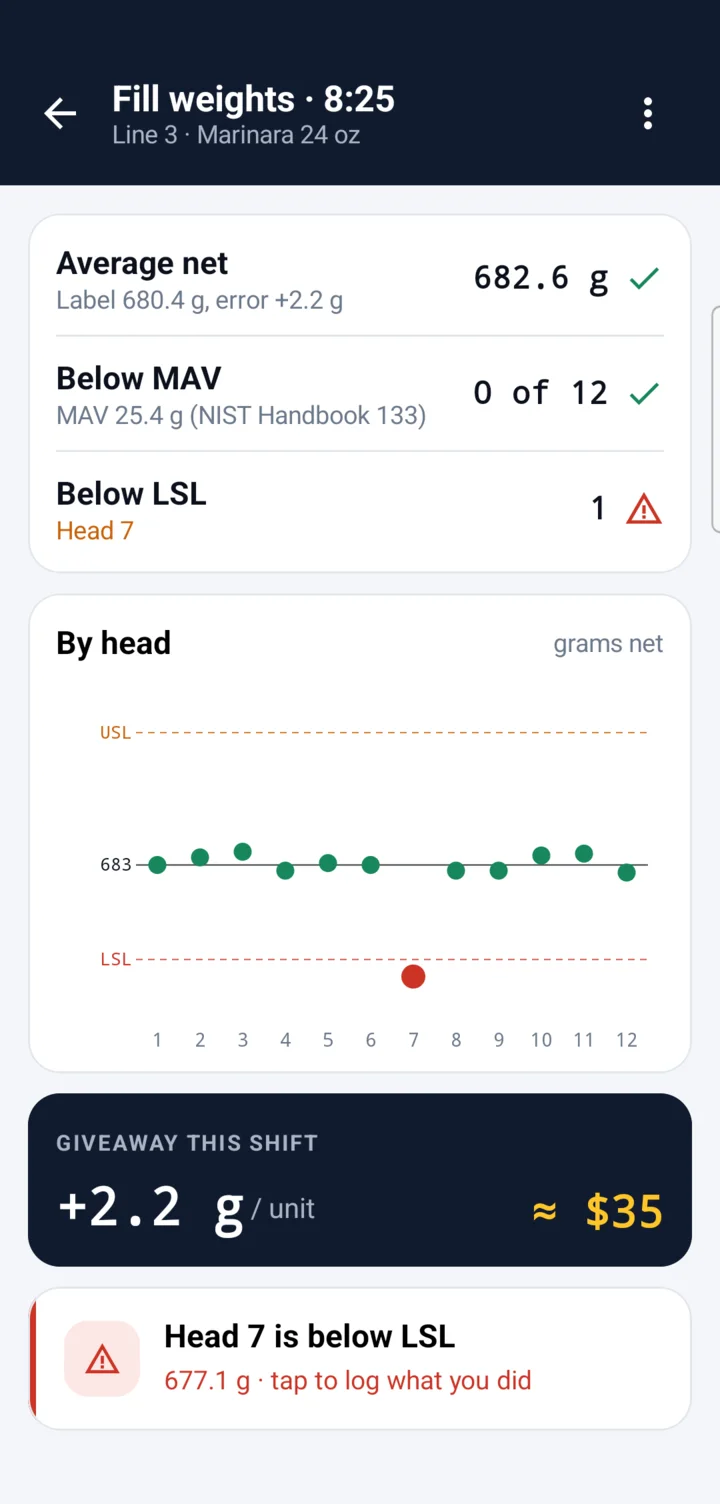
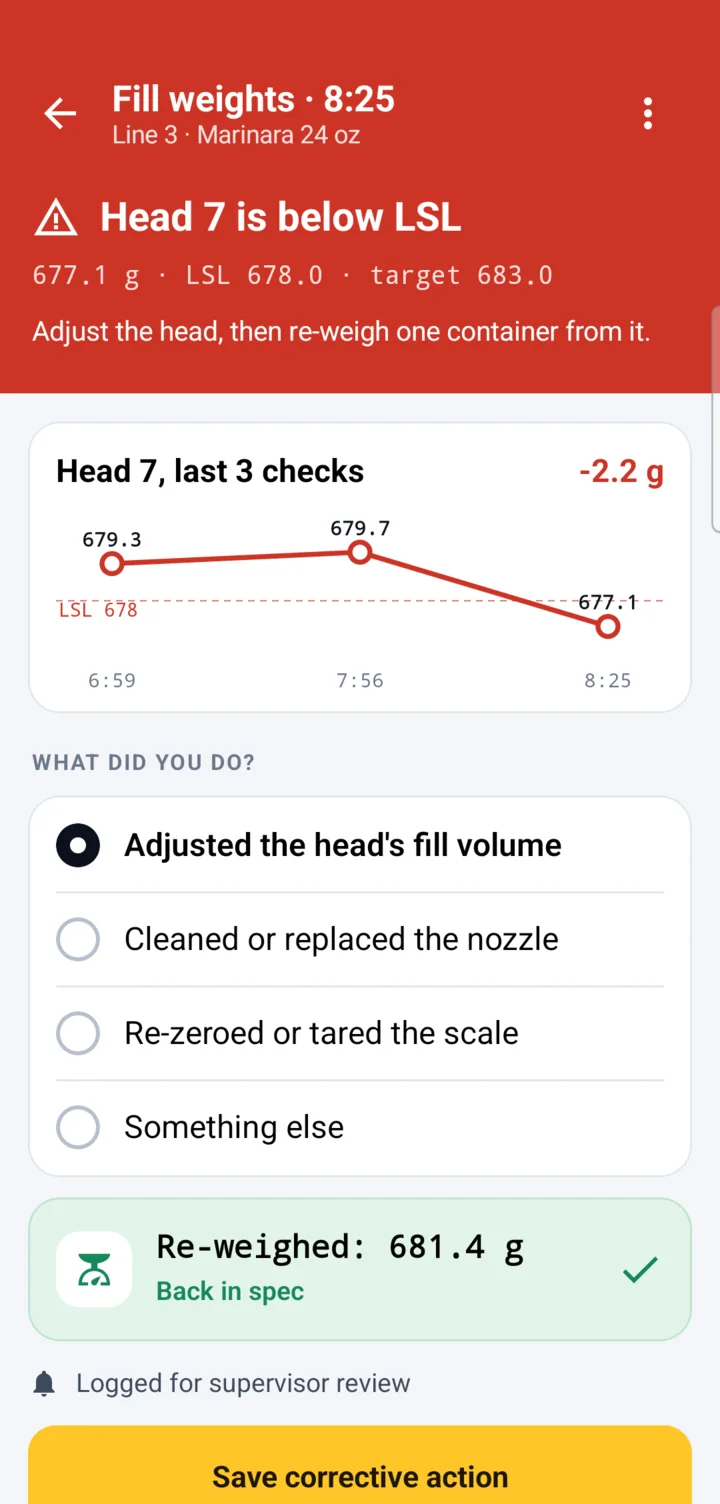
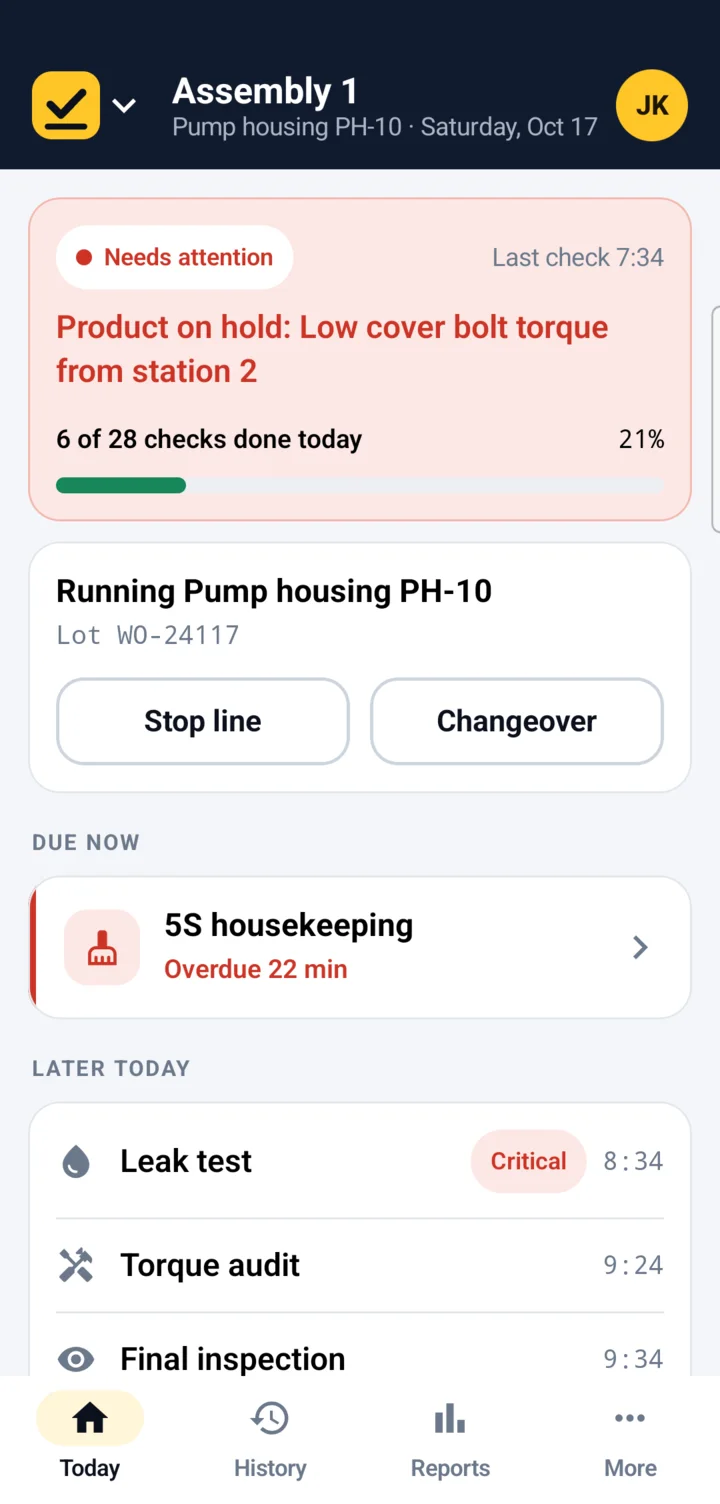
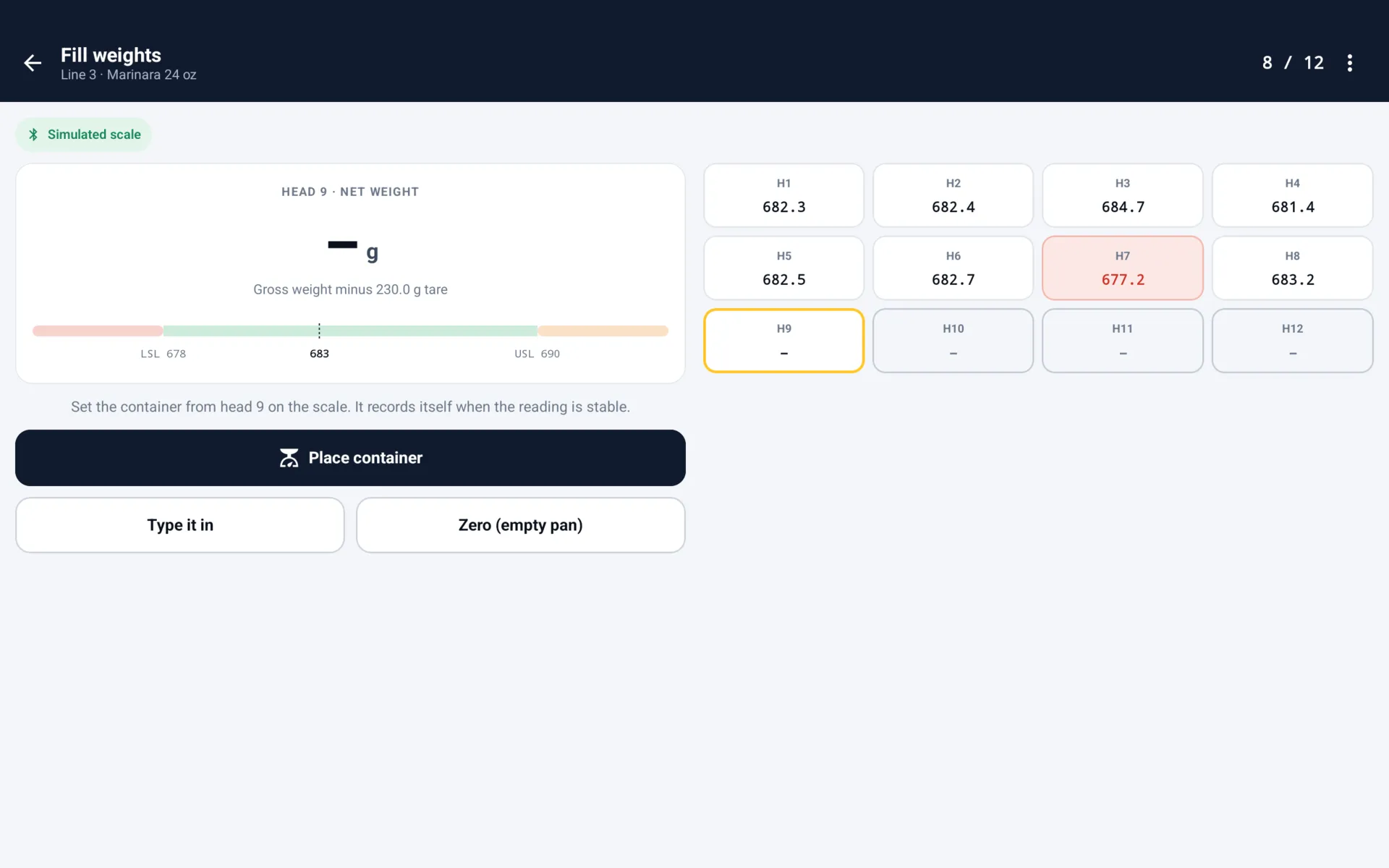
Screens from the app on an Android phone, with the two sample plants it ships with. The scale on the weights screen is simulated.
The problem
On most production lines, quality checks still run on paper checksheets or a shared terminal at the end of the line. Operators step away to record a result, copy numbers off a caliper or a scale by hand, and a failed check often surfaces hours later, when someone finally reviews the sheet. By then a worn tool or a drifting filler has been making bad parts for a shift.
The software that fixes this is built and priced for big companies: per-seat licenses, consultants to set it up, and dedicated terminals to buy. Small and mid-size plants keep the clipboard. FloorCheck is built for them.
How it works
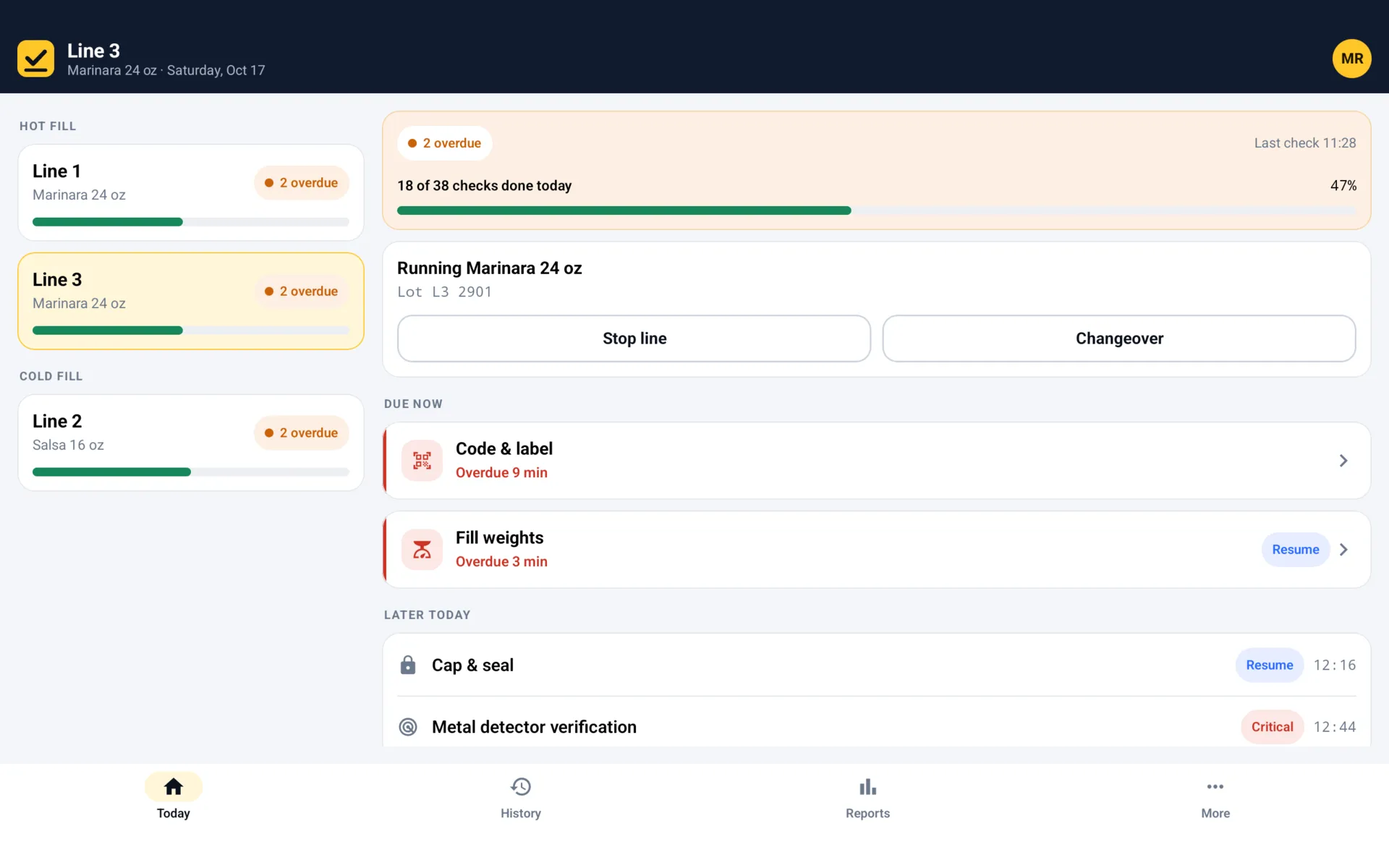
- Open the line's to-do list. Each line has a schedule of checks: every hour, at the start of each shift, or at every changeover. Late checks are flagged, and a stopped line pauses its schedule.
- Measure, weigh, scan and look. Type a dimension, a torque or a pH against its limits, pick from a list, take a photo, weigh one container per filler head from a connected scale, or scan a barcode and date code with the camera.
- Catch it as it happens. Every answer is checked against its limits on the spot. A failure asks what was done about it, a critical one puts product on hold, and the reports show a reading creeping toward a limit before it gets there.
- Submit, and it's on record. Every check is saved with who, when, which line, product and lot or work order, each answer and its limits, any fix and any photos, and a supervisor signs off each day.
Built for the floor
- Checks for any process
- Start from ready-made checks for your kind of plant (first-piece approval, in-process dimensions, gauge checks, torque audits, ESD checks, batch QC, fill weights, allergen changeovers, safety walks) or build your own with numbers, limits, pick-lists, photos and your own icons.
- Departments and lines
- Group lines into departments the way the plant is laid out. Menus, reports and sign-off follow the groups.
- Runs on hardware you already own
- Android and iPhone phones, tablets mounted at the line, and rugged handhelds like Zebra. No terminals to buy.
- Scales for products sold by weight
- Connect a Bluetooth scale, or a scale with a serial port through a small Bluetooth adapter, and readings flow in with no typing. A setup tool checks your scale; not every model will work, so try yours first. No scale yet? Type readings in and get every other feature on day one.
- Labels checked against the approved one
- Photograph a label at the line and the phone reads it on the device, with no connection, then compares it with what that product's label must show: the product, the barcode, a best-by worked out from the shelf life, and traceability codes like POLK1226L5A, built once from pieces (plant, product family, month as a letter, day, year, line) and worked out at every check. It shows the approved label beside the photo and what the label actually says when something is off. The camera points out differences; a person always makes the call.
- Pass, marginal or fail
- Rate on your own scale, like Good, Fair, Poor or 1 to 5. A marginal answer passes with no corrective action, and the record, reports and exports all flag it.
- Pictures of pass and reject
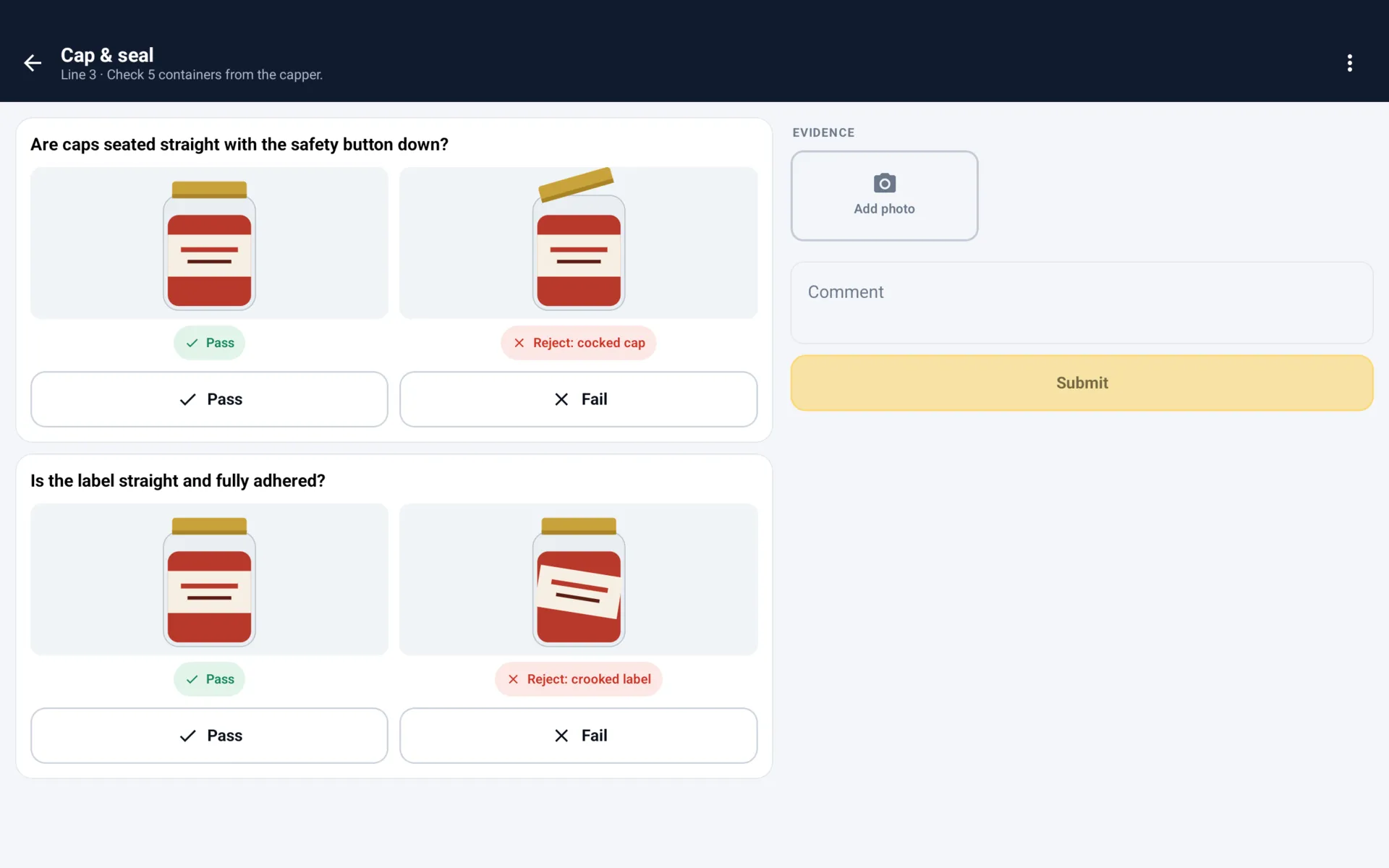
- Visual checks show what a good part and a reject look like: ready-made drawings for caps, seals, labels, cases, pallets, welds, torque stripes, connectors, solder joints, leaks and guards, or photos of your own product. Operators attach photo evidence to any check.
- Works without a connection
- Everything is saved on the device, so a dead spot on the floor never loses a result. Backups can be saved to Google Drive, iCloud or Files.
Line tablets
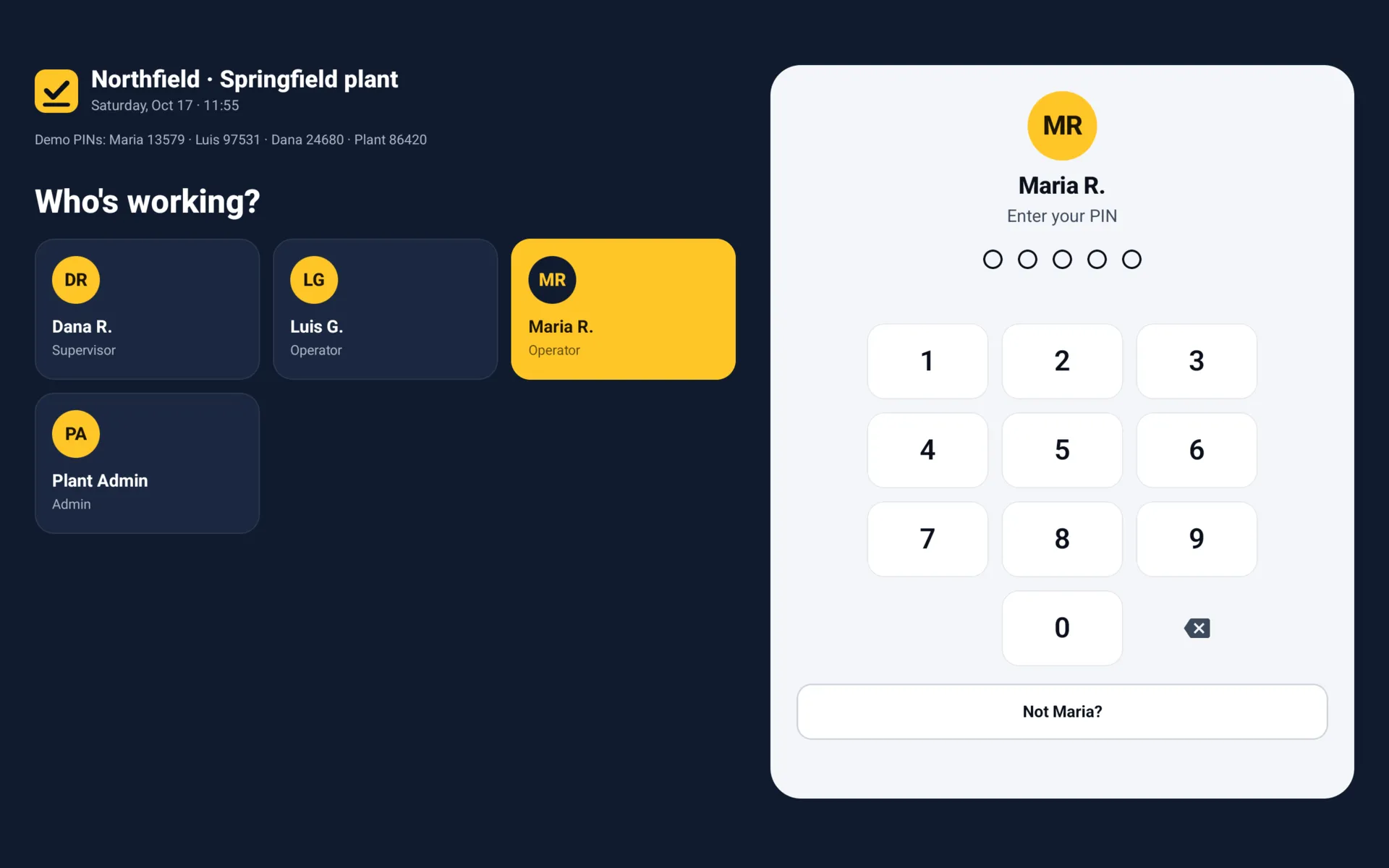
Mount a tablet at the line and it becomes a station: every line's status beside the check in progress, readings big enough to see from the machine, and a sign-in screen with big tiles and a PIN pad that works with gloves on. It signs people out after a few idle minutes, and a check in progress waits for them.
For quality managers
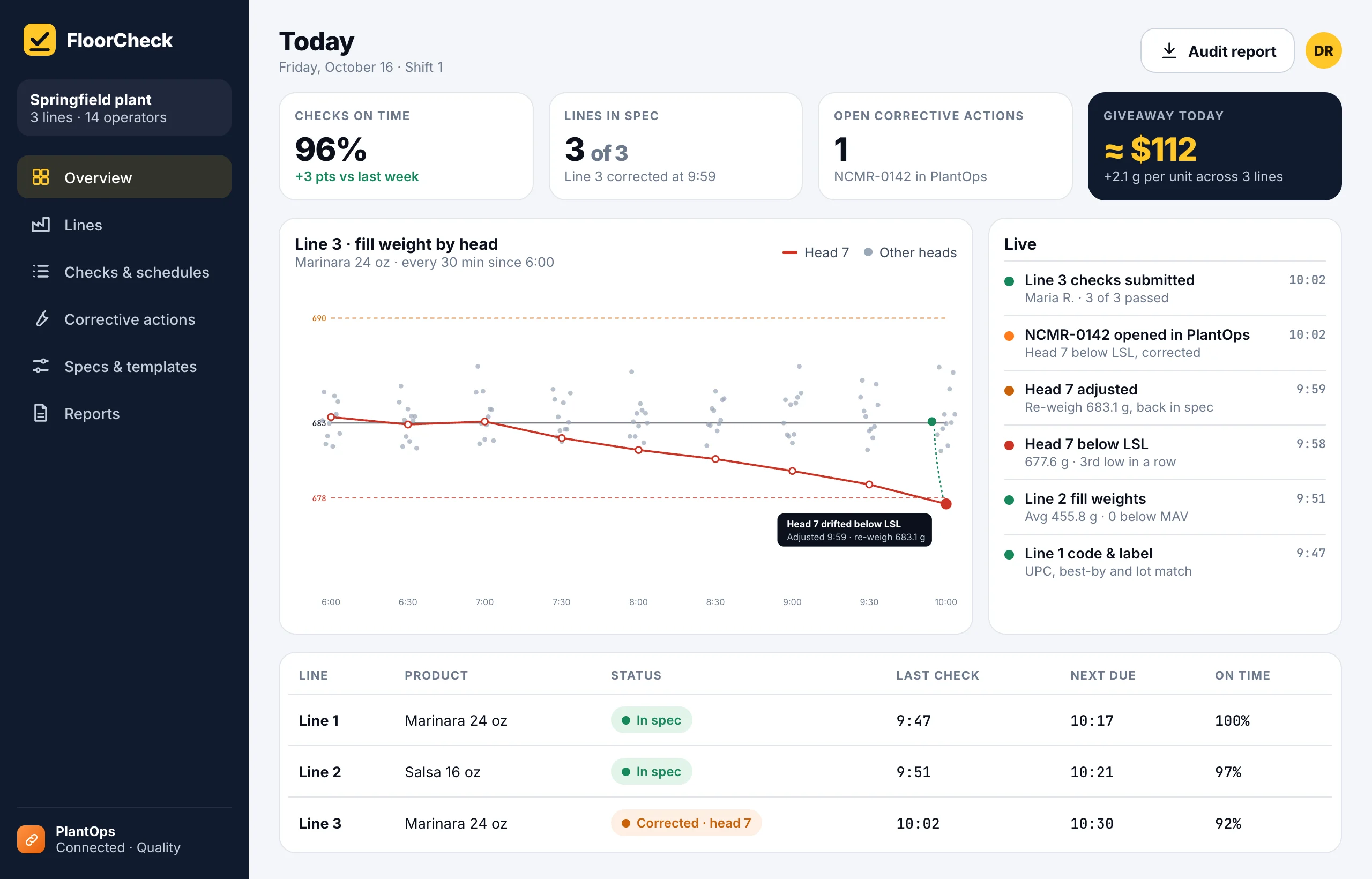
On the device today: shift handover, lot trace, measurements and capability, corrective actions, holds and the audit record a customer or inspector asks for, shared as a report or a spreadsheet. Coming next, a separate subscription: a web dashboard with every device and line in one live view.
Web dashboard design.
Less giveaway, for products sold by weight
Plants overfill to stay safe on net contents, and that overfill is product given away on every unit. FloorCheck shows the average overfill per head and per line, in grams and in dollars a shift, and points out which heads can come down without risking a short fill. On a busy line, that alone can pay for the app.
Set up in an afternoon
Setup asks what the plant makes (food and beverage, packaged goods, metal parts, plastics, electronics, chemicals or something else) and suggests the checks that plants like yours run. Add your products, lines and people from a phone or tablet. No consultants and no IT project, and changing a limit or adding a check doesn't wait on an app update.
Works with PlantOps
FloorCheck works on its own. For plants running PlantOps, it becomes the plant-floor side of PlantOps Quality: specs come from PlantOps, check results land as lab results against them, a failed check opens a nonconformance with the photos attached, and corrective actions are tracked to closure in one system.
Who builds it
I'm Brandon Ray. I started my career inside manufacturing plants, building quality, OEE and MES systems and programming PLCs on production lines, then spent the next decade building mobile apps, including 20 Android apps on a retail platform serving 8,000+ stores. FloorCheck grows out of a quality-check app I prototyped in 2023, rebuilt as the product those plants needed.
Put it on your line.
Tell me what you make, what your lines check today and how. Early-access plants help shape what gets built first.