PlantOps
One system for the paperwork that runs a plant: change management, quality and lab, corrective actions, workforce, safety, environmental, maintenance, document control and audits. It replaces the Access databases, shared spreadsheets and paper binders most plants run on, and it's sized and priced for plants that can't buy six-figure suites.
- One system, not tenNine modules share the same people, permissions, attachments and history.
- Every step enforcedChanges, nonconformances and actions move through defined stages with approvals.
- Inspection-readyEvery submission, approval and edit is time-stamped and attributable.
- Start with one moduleTurn on the module that hurts most, add the rest when the plant is ready.
The problem
Most small and mid-size plants keep the operation running on tools that were never built to run a plant: an Access database one person understands, a spreadsheet per department, email chains for approvals and paper travelers on the floor. Change requests stall in an inbox, nonconformances get closed without a root cause, and when an auditor asks for the history of a change, someone spends a day digging.
The enterprise suites that fix this cost six figures a year and need consultants to set up. PlantOps was built around the workflows of a large manufacturing plant, then sized for the plants that can't buy those suites.
Nine modules
- Change management
- A ten-stage change-request lifecycle from draft to closed, tiered unit and leadership approvals, impact assessment across safety, quality, regulatory and production, implementation tasks, the weekly change meeting, expedited approvals and PDF and CSV export.
- Quality and lab
- Internal and supplier nonconformances (NCMRs) with containment, root cause, disposition and closure; lab results against parametric specs with pass rate, standard deviation and Cpk; instrument calibration due dates; and a supplier register.
- Action tracking
- Corrective and preventive actions from every module in one list, with owners, due dates, verification and effectiveness checks.
- Workforce
- Employee directory and positions, attendance points with automatic roll-off, points reviews with e-signature, and leave requests, with HR and line managers seeing what they should.
- Safety and training
- Incidents and investigations, observations and near misses, training courses and records, and certifications tracked by role.
- Environmental
- Spill and release events, waste shipments and manifests, and permits.
- Maintenance
- Work requests from the floor, work orders, and preventive maintenance schedules tied to equipment.
- Document control
- Controlled documents and SOPs with revision history and edit-restricted access.
- Audit management
- Scheduled audits run from checklists, with findings that flow into corrective actions.
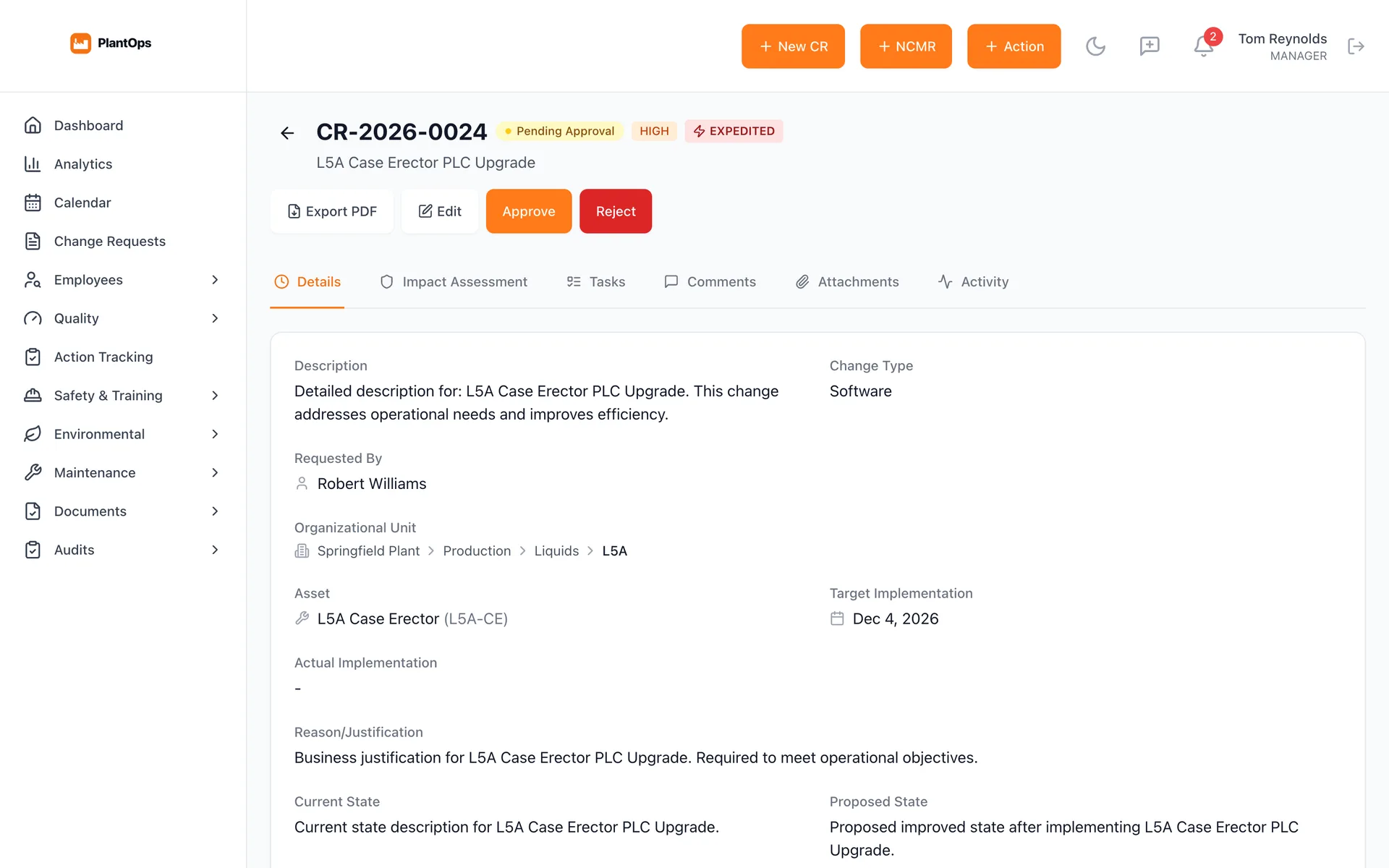
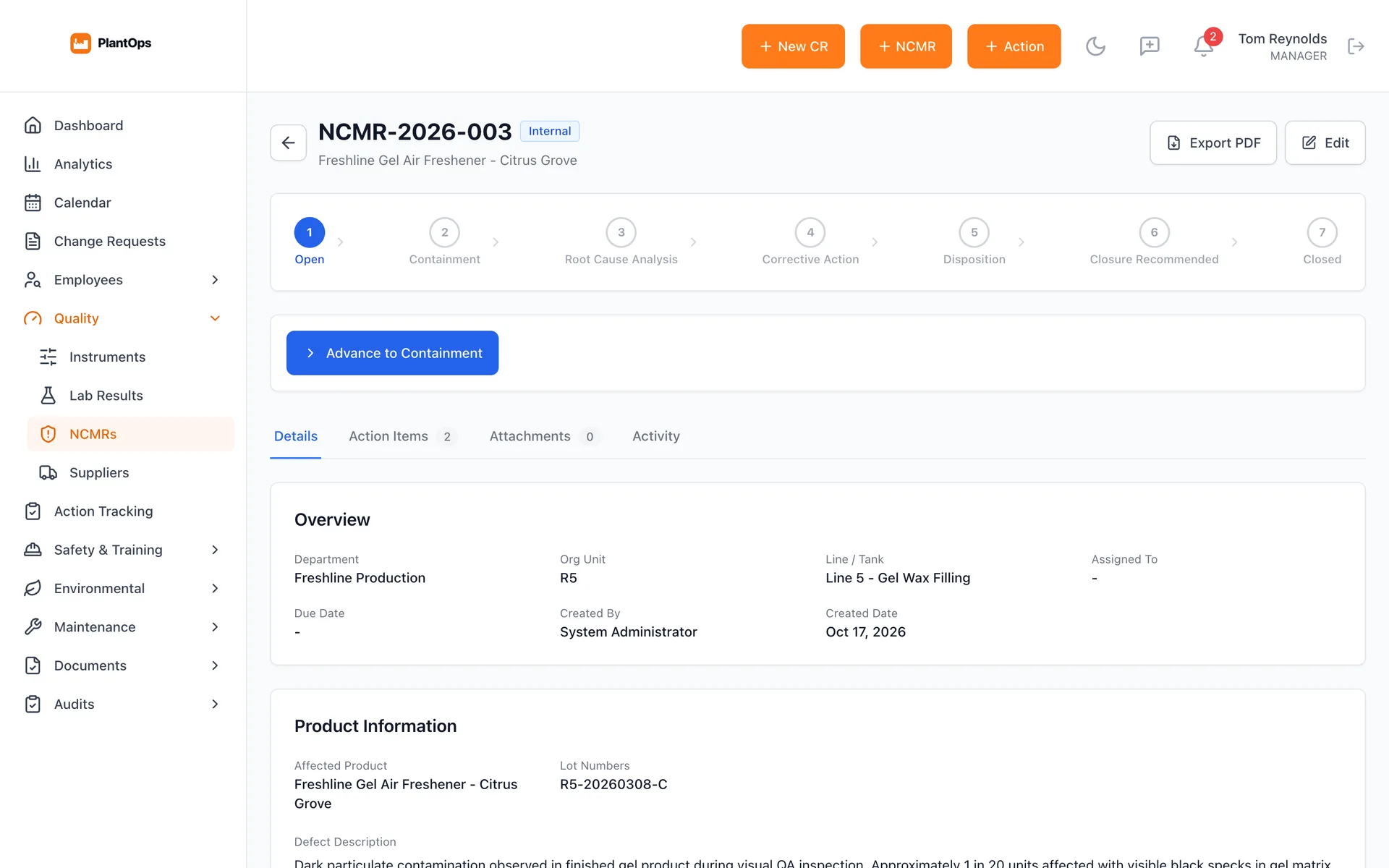
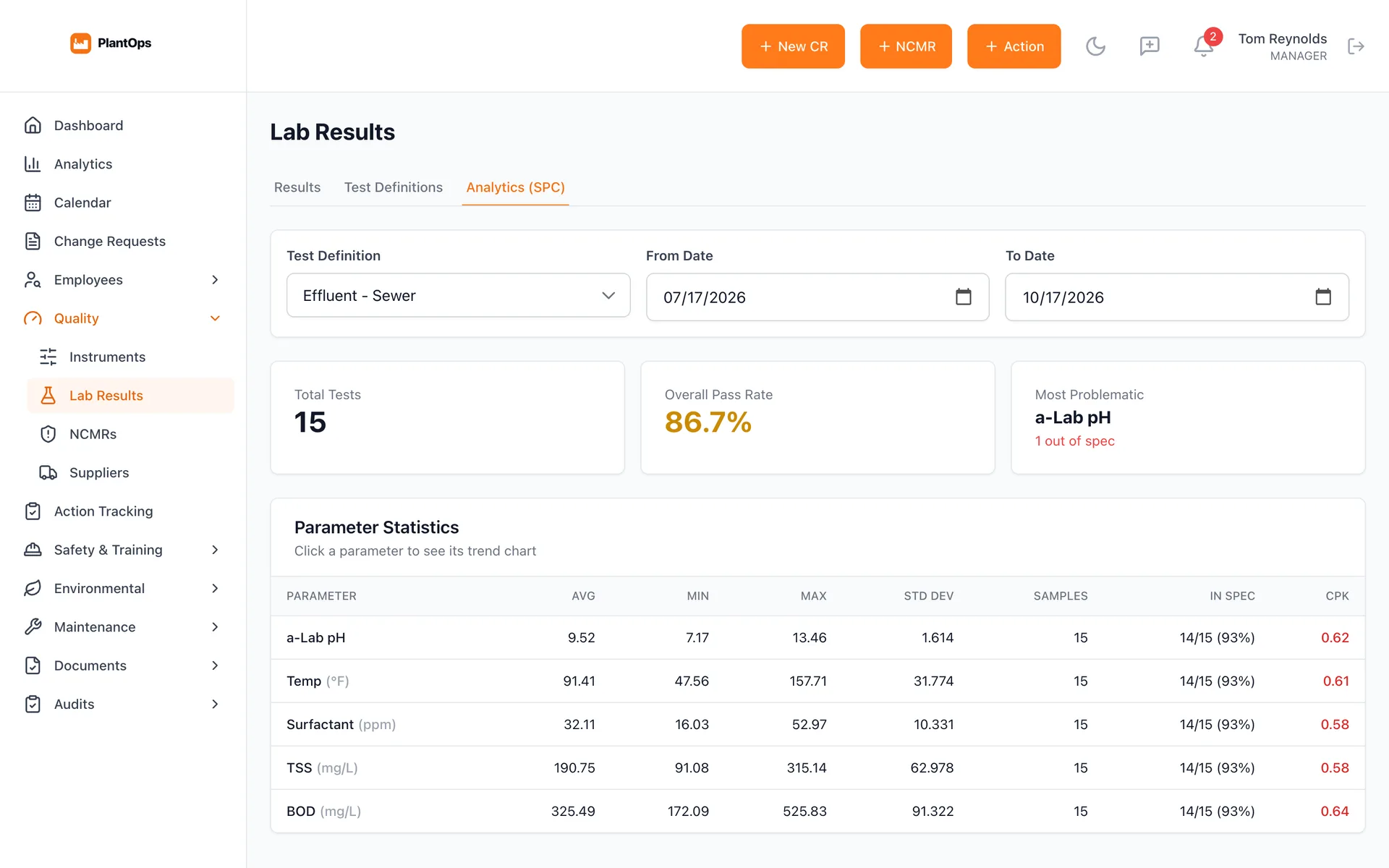
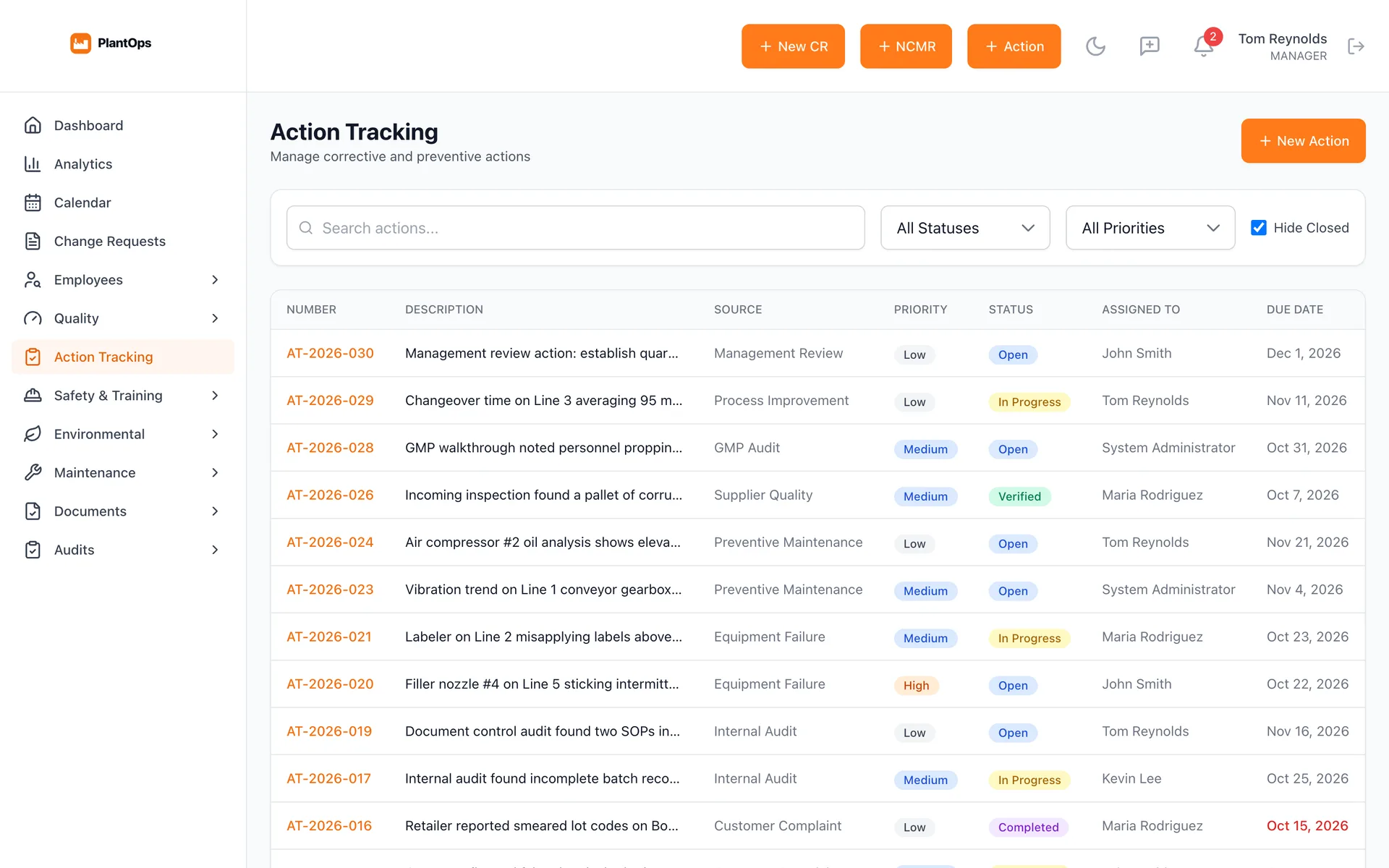
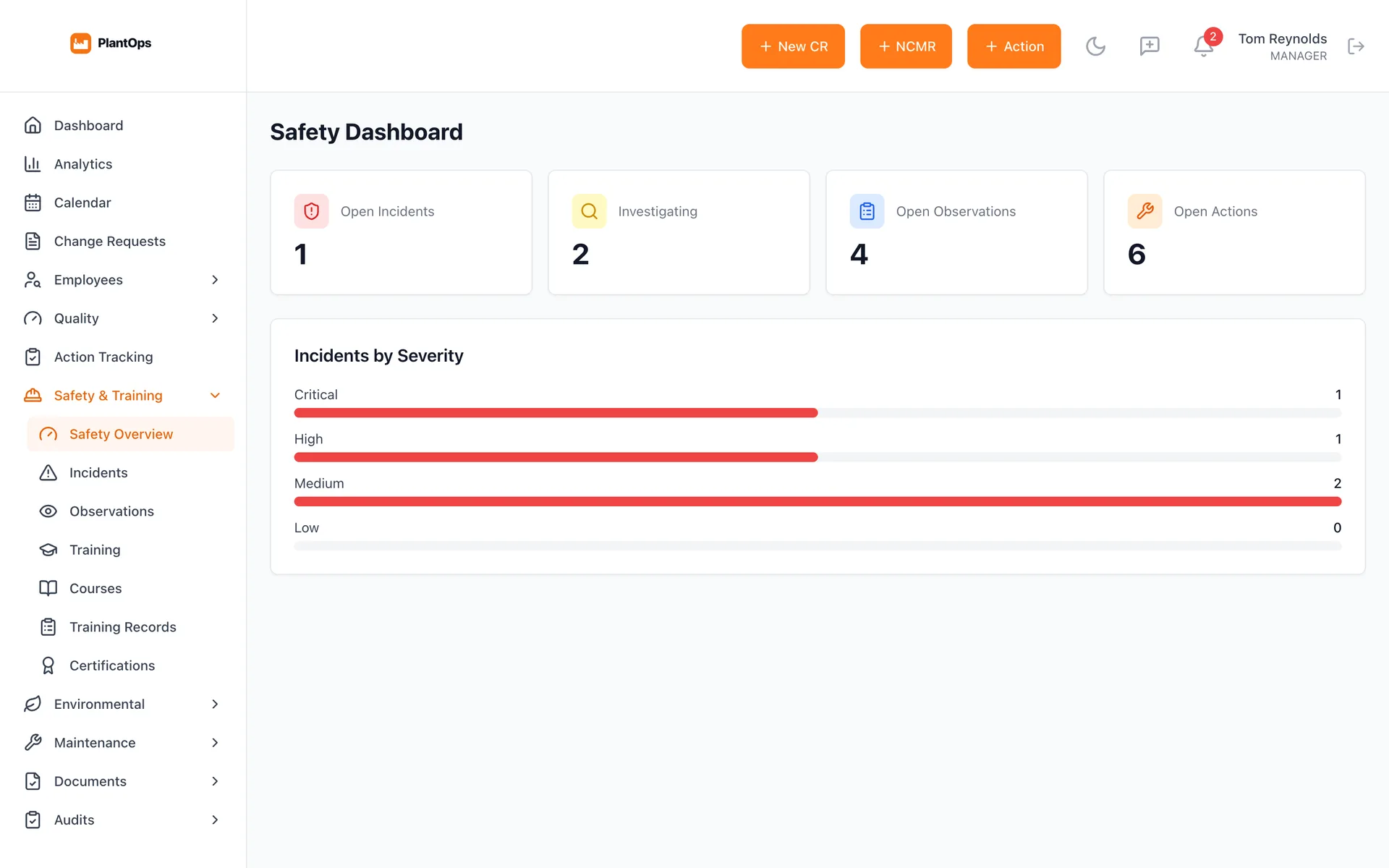
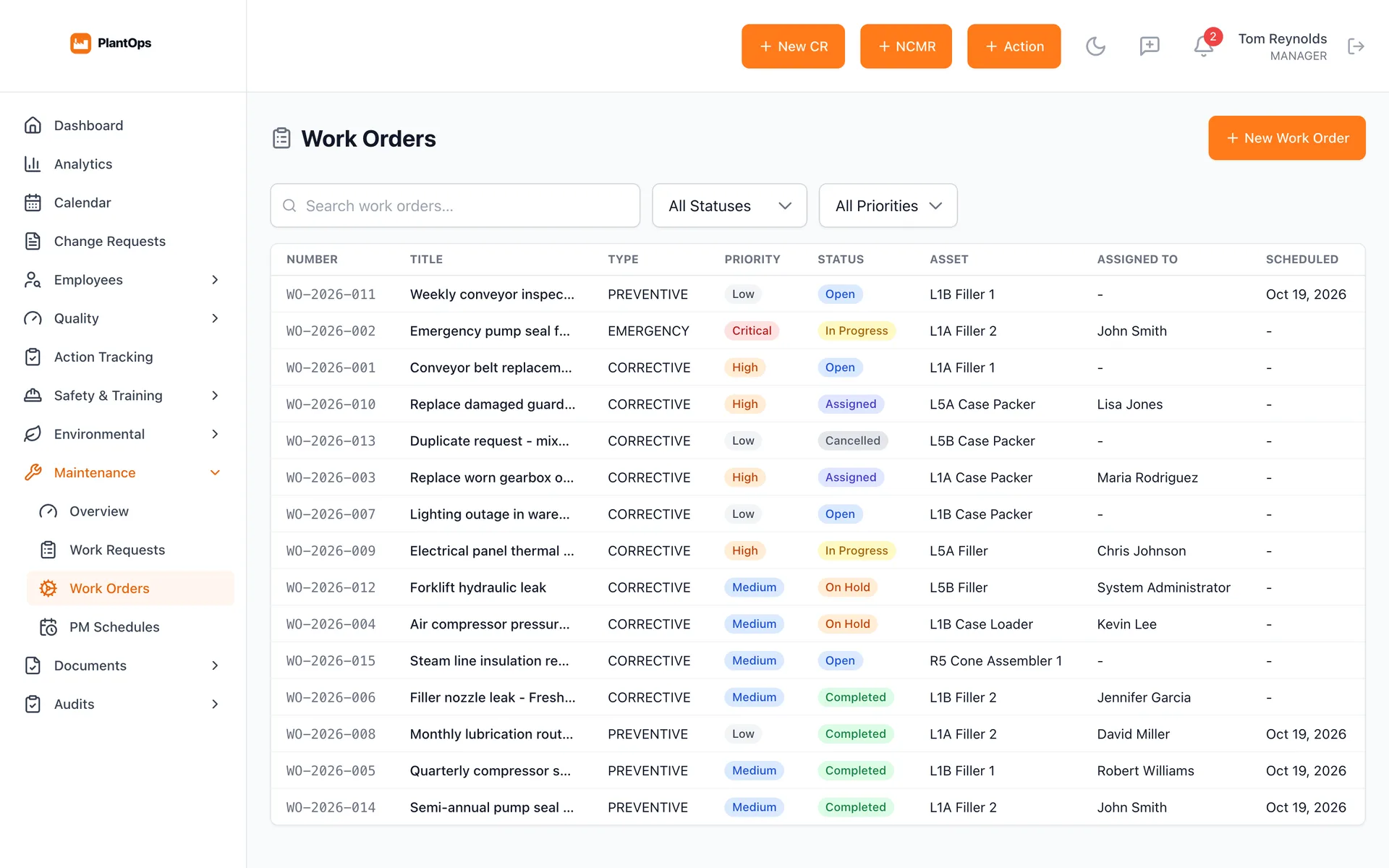
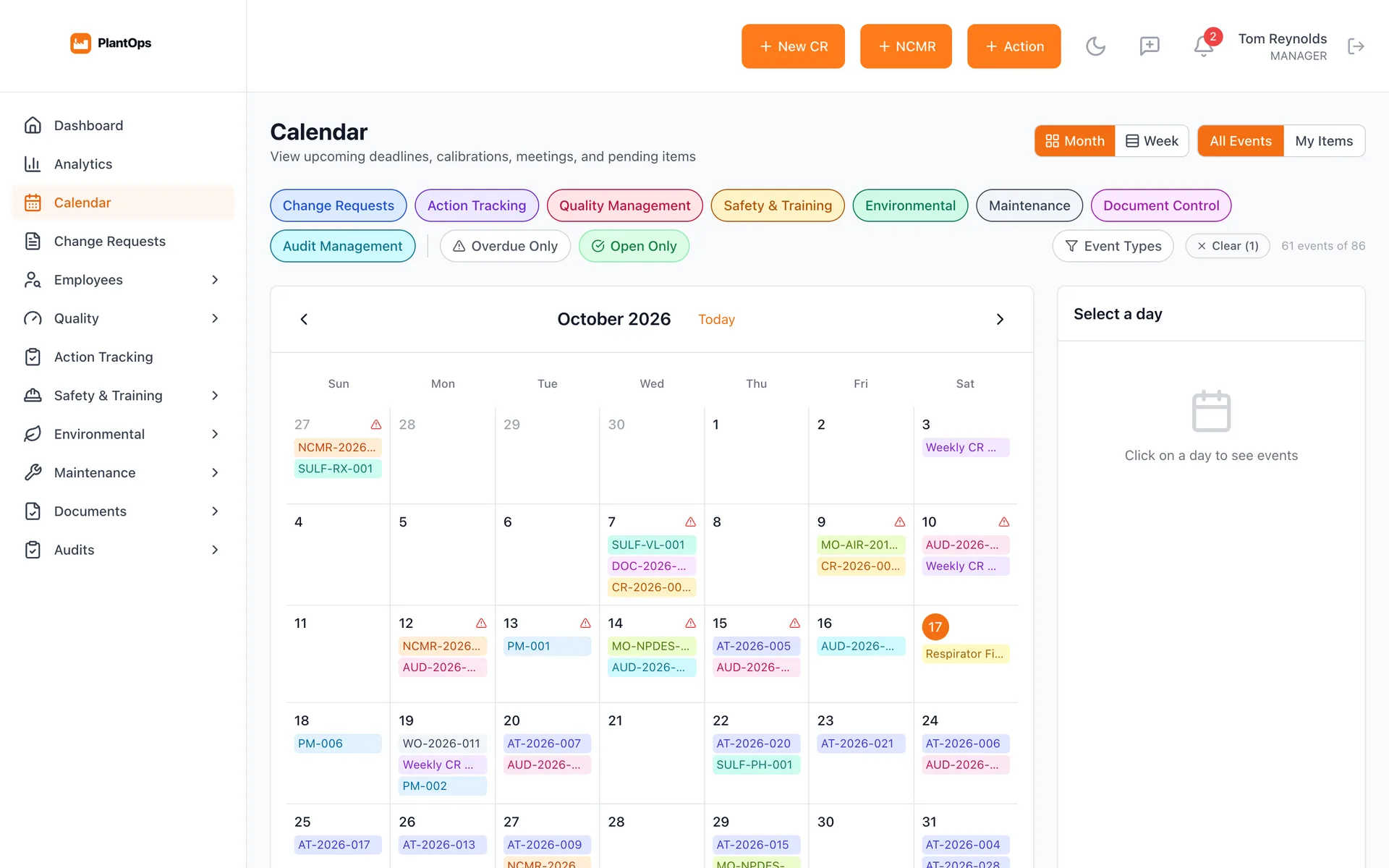
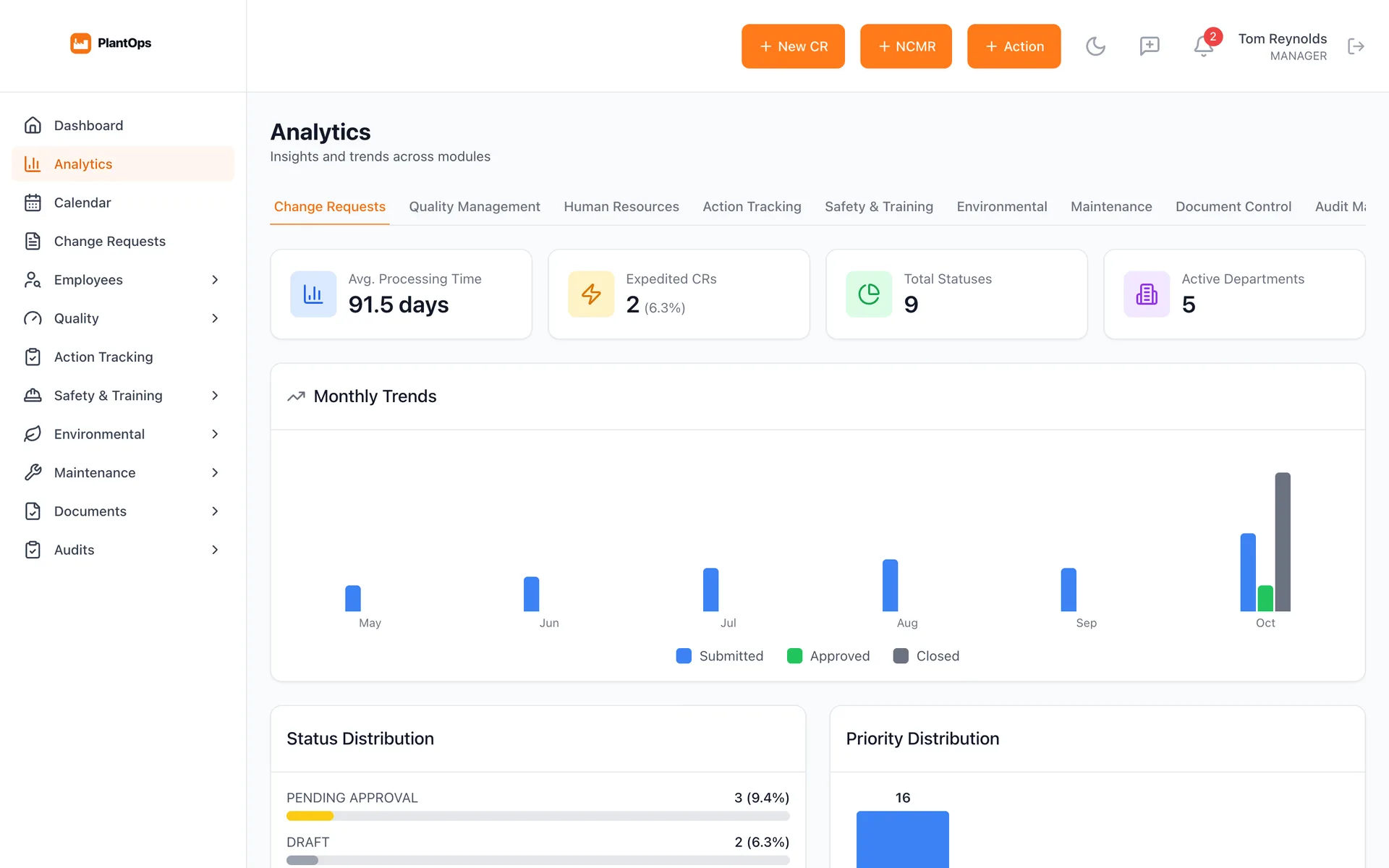
Screens from the app with sample plant data.
Built in, everywhere
- Roles that match the org chart
- Admin, manager, HR, engineer, quality, safety and viewer roles, with people linked to their departments and lines.
- A full audit trail
- Every submission, approval and edit is time-stamped and attributable, ready for an inspection or a customer audit.
- Attachments with the work
- Photos, PDFs and files attach to any record, so the evidence lives with the change or the nonconformance.
- Notifications that keep things moving
- Approval requests, status changes and due dates by email, batched into digests so nobody is buried.
- Live, not stale
- See who else is on a record and get notified the moment something you own changes.
- Secure by default
- Optional two-step verification, IP allowlists, and sessions that sign people out.
- Your brand
- White-label name, logo and colors, so it reads as the plant's own system.
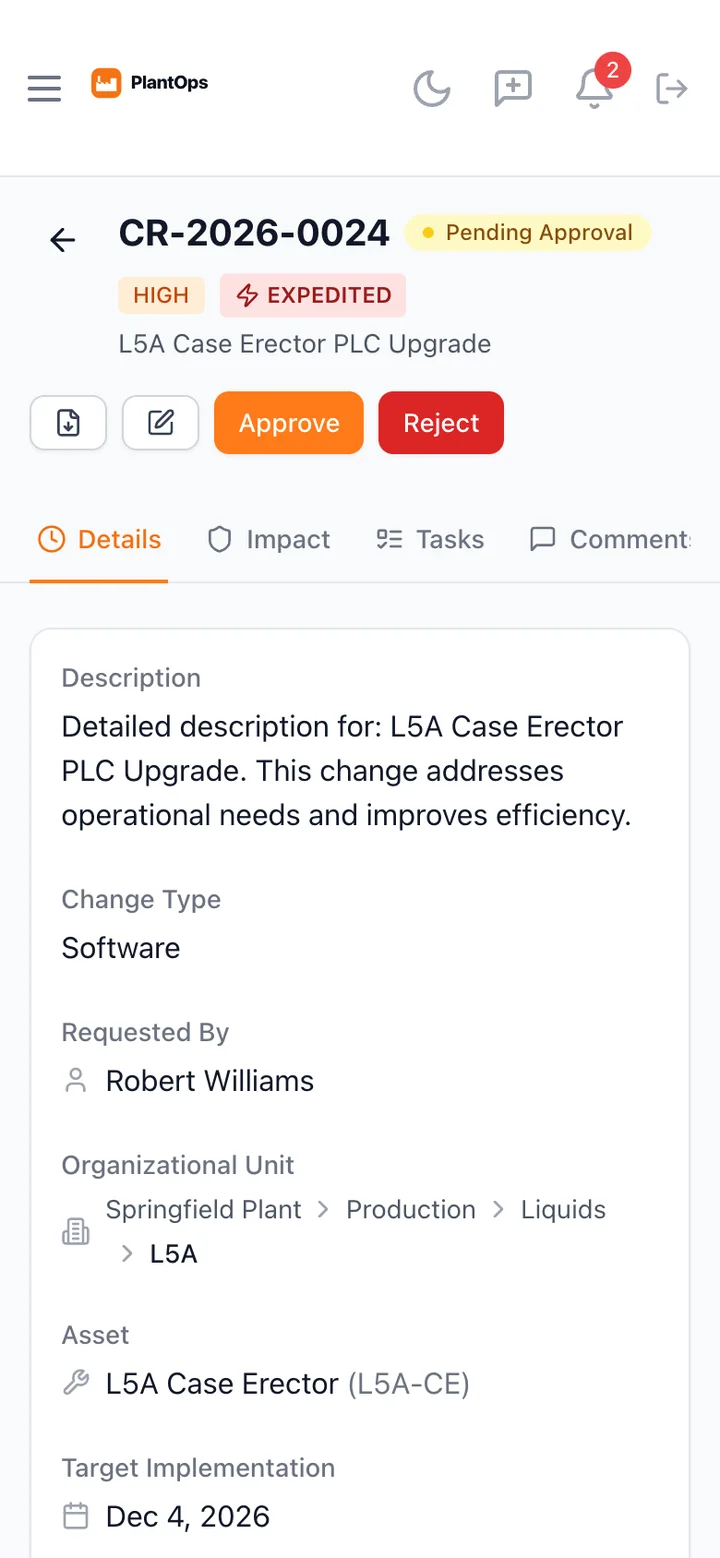
Works on the floor, too
PlantOps works in the browser on the office laptop, the tablet at the line and the phone in a supervisor's pocket, so an approval doesn't wait for someone to get back to a desk.
Run it the way that fits
- Hosted
- Run for the plant on managed infrastructure, with nothing to install.
- On-premise
- Deployed with Docker inside the plant's own network, behind its firewall, under its IT's control.
- One module at a time
- Start with the module that hurts most and switch on the rest as the plant is ready, with one login throughout.
Works with FloorCheck
FloorCheck is the plant-floor side of PlantOps Quality: operators run scheduled checks on phones and line tablets, results land as lab results against PlantOps specs, and a failed check opens a nonconformance with the photos attached.
Who builds it
I'm Brandon Ray. I started my career inside manufacturing plants, building quality, OEE and MES systems and programming PLCs on production lines, then spent the next decade building software, including 20 Android apps on a retail platform serving 8,000+ stores. PlantOps started as a change-management system for a large manufacturing plant and grew into the operations platform small and mid-size plants have been missing.
See it with your plant.
Tell me which part of the operation hurts most today. I'll show you that module with data that looks like yours.